
Download Daily Time Tracking – Free, Secure, and Easy Time‑Sheet Tool for Windows, macOS & Linux
Overview
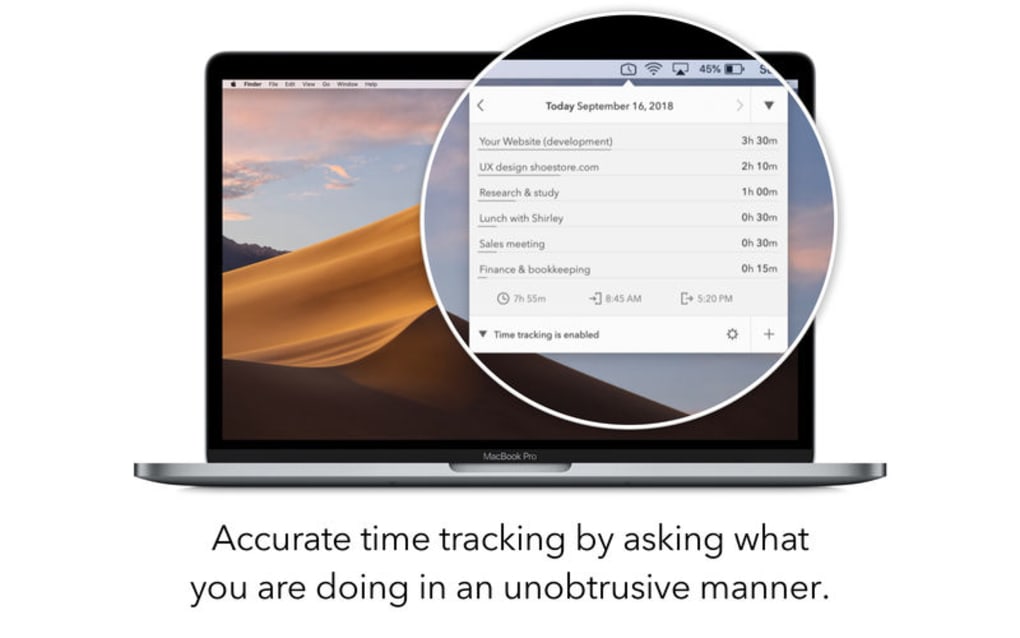
Daily Time Tracking is a lightweight yet powerful desktop utility designed to help freelancers, remote employees, and small‑business teams keep a precise record of how they spend their time—both on and off the computer. Unlike bulky project‑management suites that demand constant manual entry, this app runs quietly in the background, automatically detecting when you start working, when you take a break, and even when you step away from your desk. The result is a clean, unbiased time sheet that you can review by day, week, month, or even an entire year.
The software shines in its unobtrusive approach: it never pops up with annoying alerts, yet it provides rich data that can be exported to Toggl‑compatible, JSON, or CSV formats for deeper analysis. A 30‑day free trial lets you explore every feature before committing to a subscription, and flexible pricing options (monthly, quarterly, or yearly) make it affordable for solo users and growing teams alike. In short, Daily Time Tracking turns the often‑tedious task of timesheet management into a seamless, automated process, freeing you to focus on the work that truly matters.
Key Features
- Automatic activity detection – logs active, idle, and offline periods without manual input.
- Multi‑period reporting – view and edit time sheets for day, week, month, and year.
- System‑wide keyboard shortcuts – start, pause, or stop tracking with a single keystroke.
- Export options – generate reports in Toggl‑compatible, JSON, or CSV files.
- Unobtrusive UI – runs in the background with minimal visual footprint.
- Cross‑platform support – native clients for Windows, macOS, and Linux.
- 30‑day free trial – test all premium features before purchasing a subscription.
- Business licensing – bulk purchase options for teams with a single payment route.
- Secure data handling – all logs are stored locally unless you choose to export.
- Customizable work schedules – define your own workday start/end times and break rules.
Installation & Usage Guide
Step‑by‑Step Installation
1. Visit the official Daily Time Tracking website and click the Download button for your operating system (Windows, macOS, or Linux).
2. For Windows, run the .exe installer and follow the on‑screen prompts. macOS users will receive a .dmg file—drag the app to the Applications folder.
Linux users can download the .AppImage or use the provided .deb package.
3. After installation, launch the app. The first run wizard will ask you to set your preferred work hours, break intervals, and default export format.
4.
Enable the “Run at startup” option to ensure the tracker begins monitoring as soon as you log into your computer.
How to Use Daily Time Tracking Effectively
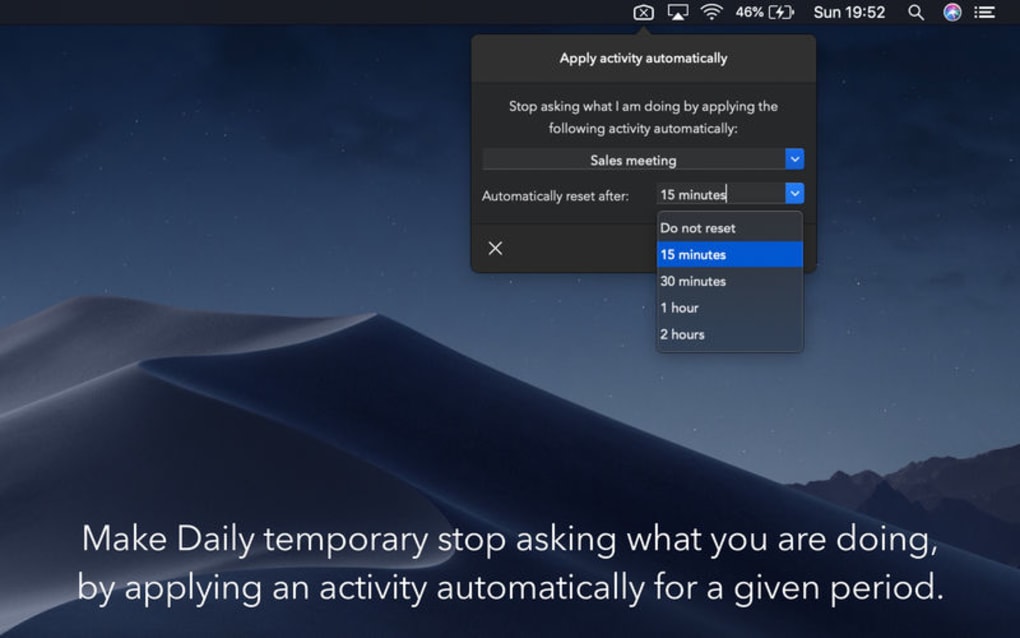
Once installed, Daily Time Tracking automatically starts monitoring keyboard and mouse activity. When you begin a work session, the app records the start time; if you become idle for more than a configurable threshold (default 5 minutes), it logs a pause automatically. You can manually override the automatic status using the global shortcut Ctrl + Alt + T (or ⌘ + Option + T on macOS).
To view your logged data, click the tray icon and select “View Reports.” Here you’ll find a clean table that can be filtered by day, week, month, or custom date range. Exporting is just a click away: choose “Export” and select CSV, JSON, or Toggl format. The exported file can be imported into other time‑tracking or invoicing tools, making billing a breeze.
For teams, the admin portal (available through the web dashboard) allows you to assign licenses, set company‑wide work schedules, and aggregate reports across multiple users.
Compatibility & System Requirements
Daily Time Tracking supports the three major desktop operating systems:
- Windows 10, 11 (64‑bit) – requires .NET 5.0 or later.
- macOS 11 (Big Sur) and newer – runs natively on Apple Silicon and Intel.
- Linux distributions – Ubuntu 20.04+, Fedora 33+, or any distro with glibc 2.31+. Packages are available as .AppImage, .deb, and .rpm.
Minimum hardware specifications are modest: a 1 GHz processor, 512 MB RAM, and 100 MB of free disk space. Because the app works primarily in the background and writes logs locally, it has a negligible impact on system performance, making it suitable for older laptops and low‑end workstations.
Pros and Cons
Advantages
- Fully automatic tracking eliminates manual entry errors.
- Lightweight and runs unobtrusively, preserving system resources.
- Rich export options ensure compatibility with popular invoicing tools.
- Cross‑platform availability covers most desktop users.
- Flexible subscription plans and bulk licensing for businesses.
Drawbacks
- No native mobile app – tracking off‑computer activities relies on desktop detection only.
- Advanced analytics (e.g., productivity heat maps) are only available in higher‑tier plans.
- Initial configuration of work schedules may be confusing for non‑technical users.
- Export formats are limited to CSV, JSON, and Toggl; no direct PDF invoicing.
- Requires an internet connection for license verification and subscription management.
Frequently Asked Questions
Is Daily Time Tracking really free to use?
You can use the app for free during the 30‑day trial, which unlocks all premium features. After the trial, a subscription is required to continue tracking.
Can I track time when I’m not at my computer?
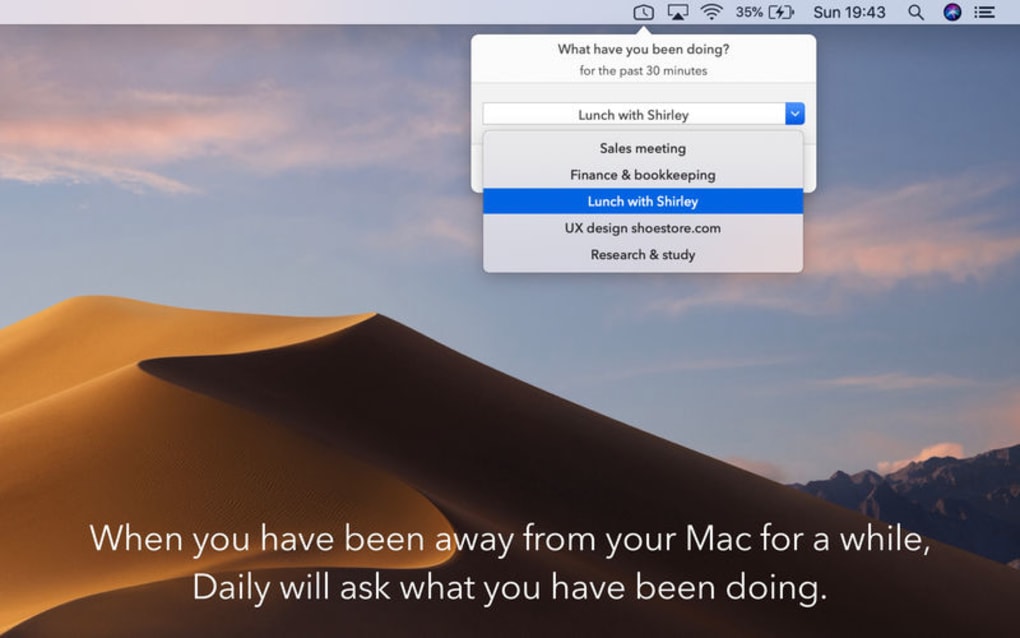
Yes. The app logs idle periods and records when you step away, allowing you to see both active work time and breaks.
How secure is my data?
All logs are stored locally on your device and are never transmitted without your explicit export action. Subscription verification is performed over HTTPS.
What export formats are supported?
You can export reports in CSV, JSON, or Toggl‑compatible formats, making it easy to import data into other time‑tracking or invoicing tools.
Is there a discount for multiple licenses?
Yes. Businesses can purchase bulk licenses with a single payment route, and the per‑user cost drops significantly when you buy quarterly or yearly plans.
Conclusion & Call to Action
Daily Time Tracking delivers a compelling blend of automation, simplicity, and cross‑platform support that makes it an ideal companion for anyone who needs accurate timesheets without the hassle of manual entry. Whether you’re a freelancer looking to bill clients more precisely, an employee aiming to understand your productivity patterns, or a manager seeking an affordable way to monitor team effort, the tool’s unobtrusive design and robust export capabilities provide exactly what you need. Start your 30‑day free trial today, explore the full feature set, and decide if the subscription pricing aligns with your workflow. Click the button below to download the installer for your operating system and begin tracking your time the smart way.
Download Daily Time Tracking Now
Pros: Automatic tracking, lightweight, excellent export options, cross‑platform.
Cons: No mobile app, limited built‑in analytics, initial setup can be technical.







